Building an SEO KPI Tree from Revenue Down
If your dashboard starts with rankings, it's pointed the wrong way

Most SEO dashboards start at the wrong end. They open with rankings or impressions, walk up through clicks, and arrive at conversions almost as an afterthought. The structure is a confession: the team knows what it can measure cleanly (positions and impressions) and reports those, then attaches whatever revenue number GA4 hands back. It's a dashboard, not a diagnostic.
A proper KPI tree inverts the order. You start at revenue and walk down to the technical metrics that drive it. Each layer has a clear cause-and-effect relationship to the layer above. When the top number moves, the tree tells you which layer leaked. When you ship a change, the tree tells you whether the lower-layer movement actually translated up. The dashboard becomes a diagnostic, and the diagnostic is the difference between an SEO team that defends its budget and one that doesn't.
This article walks through the layers — revenue → conversions → sessions → impressions → rankings → coverage — explains what breaks at each layer, and shows how to build a tree concrete enough to actually use Monday morning. The goal is to give you the structure that survives a real CFO conversation.
Why bottom-up dashboards fail
The standard "rankings dashboard" reports good news and bad news with the same vocabulary: positions moved, impressions changed, clicks followed. It can't distinguish a real business signal from noise because it never anchors to the business. A 12% impression rise looks like progress. Whether it produced a 12% revenue rise, a 2% revenue rise, or a 0% revenue rise is somebody else's chart.
The bottom-up structure also produces a familiar dysfunction. SEO ships a content series, rankings improve, impressions rise, clicks follow, and revenue doesn't move. The team reports the lower-layer wins, the CFO reads the revenue chart, and the gap between them widens. The team isn't lying — the lower-layer wins are real. They just don't connect to anything that matters.
A top-down KPI tree forces the connection. If revenue didn't move, the tree shows you exactly where the chain broke: traffic rose but conversion rate fell, or rankings rose but the CTR didn't follow because of an AIO above the fold. The diagnosis is in the structure. Without it, every quarterly review becomes a fight over which numbers to look at.
The six layers, top to bottom
Here's the canonical tree. Each layer is a multiplier of the layer above when you compose them, and each one has a specific failure mode.
Layer 1: Revenue from organic search
The number at the top is attributed organic revenue (not total revenue, not all-channel revenue). Pick your attribution model deliberately — first-click, last-click, position-based, or data-driven — and report consistently. The choice changes the absolute number by 30-200%, but the trend should be stable as long as the methodology doesn't change.
Subdivide revenue by:
- Branded vs non-branded organic. Branded revenue is a brand-marketing outcome that SEO supports but doesn't drive. Non-branded is what SEO can actually move.
- New customer revenue vs returning customer revenue. SEO is overwhelmingly an acquisition channel. Mixing returning-customer revenue into the SEO line inflates the number and hides the acquisition story.
- Product line or page-template segment. Revenue from product detail pages tells a different story than revenue from blog content.
The failure mode at this layer: revenue down means something in the chain broke, but you can't diagnose without the layers below. Don't skip straight to "Google update" without checking the layers.
Layer 2: Conversions from organic search
Conversions = sessions × conversion rate. The split tells you whether the failure is a traffic problem or a conversion problem.
Subdivide by:
- Conversion type. Macro conversions (purchase, demo request, signup) and micro conversions (newsletter, content download). A KPI tree that tracks only macro conversions misses the leading indicator.
- Landing page template. Product pages convert differently from blog posts. A blog post that drives traffic but never converts isn't broken — it's a different funnel role. Track conversion rate per template, not just aggregate.
- First-session vs multi-session conversion. First-session conversion rate is your immediate UX read. Multi-session conversion is your retargeting + brand recall lens.
Failure mode: traffic flat, conversions down. The lower layers are fine; something on the page changed (UX, pricing, copy, technical bug). The tree directs you to look at on-page tests, not at SEO.
Layer 3: Sessions from organic search
Sessions = clicks (roughly — GA4 sessions and GSC clicks don't perfectly align, but they're close cousins). The metric is volume of organic traffic landing on the site.
Subdivide by:
- Channel (organic search vs organic shopping vs organic video). GA4's channel grouping splits these out; aggregate organic-search-only is the one most SEO reports want.
- Landing page. Top 50 landing pages by sessions, with delta vs prior period. This is your "where the traffic actually goes" view.
- Country / device. Mobile-only patterns and country-specific patterns surface here.
Failure mode: clicks held but sessions down. Usually a tracking problem — broken tag, cookie consent change, redirect that lost the referrer. Investigate the analytics layer, not the SEO work.
Layer 4: Clicks from search results
Clicks = impressions × CTR. From here down, you're in GSC territory, not GA4.
Subdivide by:
- Query class. Branded vs non-branded, informational vs transactional. Click composition tells you which intent buckets are working.
- Page. Top 50 pages by clicks. Compare to top 50 pages by sessions in GA4 — material gaps mean tracking problems.
- Device. Mobile and desktop CTR curves differ. AI Overviews have hit mobile CTR harder than desktop.
Failure mode: impressions held but clicks down. CTR collapsed. Usually one of three causes: AI Overview rolled out on your top informational queries, a competitor with better titles took your spot above the fold, or a SERP feature pushed you below the fold without changing your nominal position.
Layer 5: Impressions in search results
Impressions are GSC's "your URL appeared in a SERP" count. The layer that everyone reaches for first because it's the highest-volume signal that responds quickest to SEO work.
Subdivide by:
- Query class. Same intent split as clicks — informational impressions move differently from transactional.
- Page template. Impressions per template tells you whether new content is gaining traction.
- SERP feature regime. Impressions on SERPs with AIOs vs without. The mix is shifting; track it.
Failure mode: rankings held but impressions down. Usually a query-volume effect (search demand for your terms dropped) or an indexation drop (some pages fell out of the index). Cross-reference with the indexed-page count from the next layer down.
For the deeper read on what an impression actually counts, GSC impressions deep-dive walks through the definitional traps.
Layer 6: Rankings (positions)
Average position from GSC and per-keyword position from your rank tracker. The layer most SEO teams over-report and most diagnostic frameworks underuse. For the gap between GSC's averaged position and your rank tracker's fixed-location position, see GSC vs rank trackers.
Subdivide by:
- Keyword class (head, mid-tail, long-tail).
- Average position in GSC vs fixed-location ranking in the tracker. Both are useful for different questions.
- Position distribution. Number of keywords in positions 1-3, 4-10, 11-20, 21+. Migration between buckets is the leading indicator.
Failure mode: indexed pages held but rankings dropped. Algorithm shift, content quality issue, link-equity loss. This is where the SEO team's actual diagnostic work begins.
Layer 6.5: Coverage / indexation
Below rankings sits the foundational layer — the count of pages actually crawlable, indexable, and indexed. GSC's Page Indexing report.
Subdivide by:
- Submitted vs indexed. The gap is your indexation problem.
- Excluded reasons. Crawled-not-indexed, discovered-not-indexed, alternate page with proper canonical, duplicate without user-selected canonical. Each reason has a different fix.
- Indexed by template / section. Where are pages dropping out? Often one section (faceted URLs, paginated archives) loses indexation while others hold.
Failure mode: rankings dropped but indexed page count also dropped. The deeper foundational layer is leaking. Fix indexation first; rankings can't recover until pages are in the index.
A concrete tree example
For a B2B SaaS company with $50k/month attributed organic revenue, the tree looks something like this:
Revenue from organic: $50,000/mo
├── Non-branded: $32,000 (64%)
│   ├── New customer: $28,000
│   └── Returning: $4,000
└── Branded: $18,000 (36%)

Conversions from organic: 280/mo
├── Demo requests (macro): 40
├── Trial signups (macro): 65
└── Content downloads (micro): 175

Sessions from organic: 24,000/mo
├── Product pages: 6,000 (CR 4.5%)
├── Pricing pages: 2,200 (CR 8%)
├── Blog: 13,000 (CR 0.6%)
└── Comparison pages: 2,800 (CR 6%)

Clicks (GSC): 22,400/mo (matches sessions ±7%)
├── Branded queries: 6,500 (CTR 28%)
├── Non-branded transactional: 4,200 (CTR 12%)
└── Non-branded informational: 11,700 (CTR 3.8%)

Impressions (GSC): 1.2M/mo
├── Position 1-3 keywords: 240k impressions
├── Position 4-10: 580k
└── Position 11-20: 380k

Rankings: 8,400 keywords tracked in GSC top 100
├── Top 3: 380 keywords
├── Top 10: 1,800 keywords
└── Top 20: 3,200 keywords

Coverage: 1,420 pages indexed of 1,580 submitted
├── 92% indexation rate
└── 160 excluded (mostly faceted + thin content)
When revenue drops 15% in a month, the tree gives you the diagnostic path. Revenue down 15% — check conversions: down 12%. Check sessions: down 14%. Check clicks: down 13%. Check impressions: down 4%. Check rankings: stable. Check coverage: stable. Diagnosis: clicks dropped without impressions dropping — CTR collapse on the informational query class. Investigate AIO rollout on top blog content. The whole walk takes 20 minutes when the tree is wired into your dashboard.
Where each layer breaks (and what to do)
The diagnostic value of the tree is in knowing what each break means. A summary:
- Revenue down, conversions stable. Mix shift — same conversions but lower-value ones. Check the conversion-type split.
- Conversions down, sessions stable. UX or technical regression. Check page experience metrics, recent deploys, broken forms.
- Sessions down, clicks stable. Tracking problem. Check tag fires, cookie consent, redirect chains.
- Clicks down, impressions stable. CTR collapse. Check SERP feature changes, title updates, competitor SERPs.
- Impressions down, rankings stable. Query-demand drop or indexation loss. Check Google Trends and the indexed page count.
- Rankings down, coverage stable. Algorithm shift, content quality, link equity. Begin the SEO investigation proper.
- Coverage down. Foundational technical problem. Pages dropping out of the index — fix this before anything else.
The discipline is to walk the tree top-down every time something moves. The temptation is to skip to whichever layer the team's most comfortable diagnosing. The tree forces the discipline.
Wiring the tree into your reporting
The tree only works if it's instrumented. Three practical pieces:
Single source of truth per layer. Revenue from your billing system or attributed-revenue export, not GA4 e-commerce events that may be miscounted. Sessions from GA4's organic channel. Clicks/impressions/positions from GSC API. Coverage from GSC Page Indexing. Don't mix sources within a layer — pick one and stick with it.
Synchronized date ranges. All layers reported on the same date window. The 24-48 hour GSC lag means you should report on a 7-day window ending 2 days ago, not today. GA4 lags less but still has a 24-48 hour settling period for some events.
Computed deltas with confidence bands. Each metric should report value, prior period, percent change. For top-of-tree metrics with high variance (small properties, low conversion volumes), report the change with a sense of whether it's noise. A 5% week-over-week revenue change with 15% baseline variance is not a story.
One-page summary view. The tree at a glance, all six layers, with traffic-light annotations on which layers moved meaningfully. The detail views are for investigation; the one-page is for the weekly stand-up.
For the broader measurement context the tree fits into, see the SEO Analytics Stack pillar. For the related question of how to translate tree movements into stakeholder narratives, organize the layers around your audience: a CFO conversation walks revenue → conversions → sessions; a content team conversation walks impressions → clicks → CTR; a technical SEO conversation walks rankings → coverage.
What the tree doesn't capture
Honest disclosure: the tree captures the click-through path. It does not capture brand exposure that doesn't produce a click (AIO citations, knowledge panel mentions), it doesn't capture multi-touch contribution to other channels (the user reads three articles, then converts via direct), and it doesn't capture content that produces value via internal sharing or partner ecosystems.
For these, the tree is supplemented — not replaced — by directional metrics: brand search trend, AI-citation rate, share of voice. They live alongside the tree as complementary lenses, with explicit acknowledgment that they're directional rather than diagnostic. Pretending the tree captures everything produces clean reports and bad strategy.
That's the structure. Six layers, top-down, each with its own failure mode and its own fix. The team that reports on the tree consistently spends less time fighting over numbers and more time fixing the layers that leak. Build it once, defend it for years.
Frequently asked questions
How granular should the tree be?
For a small site, the six layers are enough. For a large site, each layer subdivides further — sessions by template by country, conversions by product line by funnel stage. Start with the six and add granularity where the diagnostic actually needs it. A 40-line tree that nobody reads is worse than a 6-line tree that the team uses every Monday.
Should I include non-organic channels in the same tree?
Build channel-specific trees. The layers are the same shape but the underlying metrics differ — paid search has bidding economics that organic doesn't, email has list size that organic doesn't. Side-by-side channel trees let you compare the funnel shape across channels without forcing a false aggregation.
How do I handle assisted conversions in the tree?
The top of the tree is attributed revenue. Whatever attribution model you chose dictates how much of the multi-touch revenue lands on organic. The tree itself is model-agnostic; the input number is what's model-dependent. Report your model alongside the tree so the number is interpretable.
Where does engagement rate fit?
Between sessions and conversions, as a UX-quality signal. Engagement rate isn't a primary tree metric (it doesn't compose into anything above), but it's a secondary indicator at the sessions layer. A drop in engagement rate often precedes a conversion-rate drop by 2-4 weeks.
What about ROI / ROAS?
ROI is the ratio of revenue to cost — it's a derived metric that uses the top of the tree (revenue) and an externality (your SEO investment). Track ROI alongside the tree, not within it. The tree explains where revenue comes from; ROI explains whether the revenue justifies the investment.
Can I show the tree to non-SEO stakeholders?
The one-page version, yes. Walking the full diagnostic with a CFO is overkill — they want to see "revenue, conversions, sessions" and trust your team to investigate the layers below. Build the simplified executive view and the full diagnostic view as two outputs of the same underlying data model.
Related articles

GSC Impressions: What They Actually Mean (and Don't)
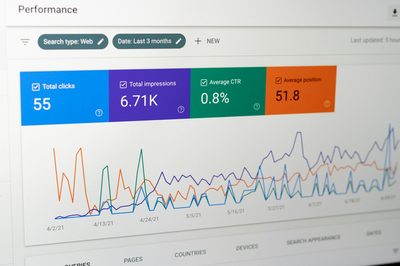
Search Console reports impressions like they're a clean count. They aren't. Anonymization thresholds, AI Overview accounting, and SERP feature counting rules quietly distort the number you report up.
Attribution Models for SEO: Pick the One That Doesn't Lie
Last-click hides the work SEO does. First-click hides the work everyone else does. Here's how to pick an attribution model that survives a real audit.
The SEO Analytics Stack: GSC, GA4, and What Else Matters
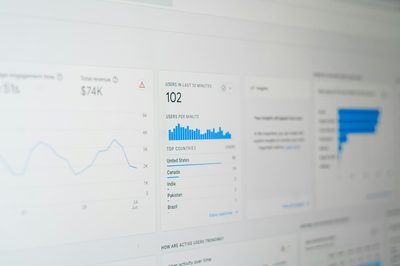
GA4 confused everybody. GSC stayed honest. Third-party tools fill specific gaps. Here is the full SEO measurement stack — data sources, attribution, KPI tree, dashboards — without the vendor pitch.